I Had My NYC Condo Inspected for Structured Cabling — Here's What We Discussed
By Paul S
In my 10GbE planning article I wrote about the importance of the pre-install conversation with your AV installer. I’ve now had that conversation — and it was more useful, and more nuanced, than I expected.
Here’s what I learned from walking through my empty NYC condo with my AV installer before a single wire gets run.
The Starting Point: What’s Already There
The apartment isn’t starting from zero. There are existing Cat6 ethernet drops in the living room and bedrooms — usable infrastructure that was already in place. The closet near the entrance houses the Verizon FiOS ONT — the fiber optic terminal that brings internet into the unit. This is the nerve center of the whole network. Everything originates here.
What’s missing is what matters most for my use case: a high-speed wired connection from that closet to the office, where the NAS and workstation will live. The existing Cat6 is fine for streaming and casual use. It’s not what you want for 10GbE NAS transfers and 4K video editing. That’s what we’re upgrading.
That concrete ceiling turned out to be one of the most important constraints of the whole conversation.
The Concrete Ceiling Problem
In a typical home, cable runs often go through the ceiling cavity — up through one wall, across the ceiling, down through another. It’s cleaner, avoids more drywall work, and is generally the path of least resistance. My building’s ceilings are concrete — cutting into them would directly impact the unit above, which rules out ceiling runs for most of the apartment. The one exception: the entrance closet and office share a recessed tray ceiling — a dropped section that creates a cavity between the lower ceiling and the concrete slab above. That cavity gives the AV installer a viable cable routing path without touching the concrete.
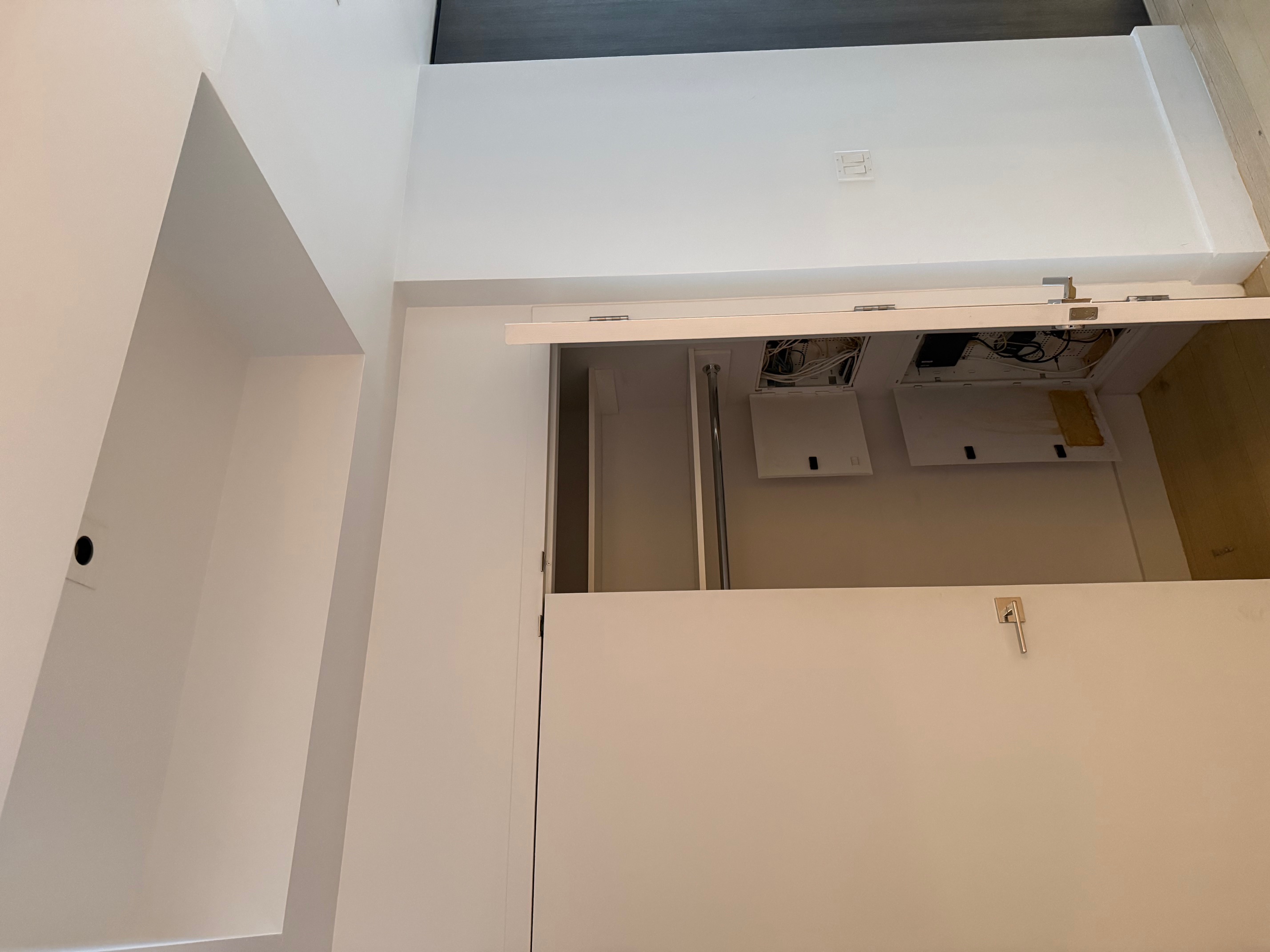
The entrance closet housing the Verizon FiOS ONT and existing cable infrastructure — the tray ceiling above is visible at the top of the frame.
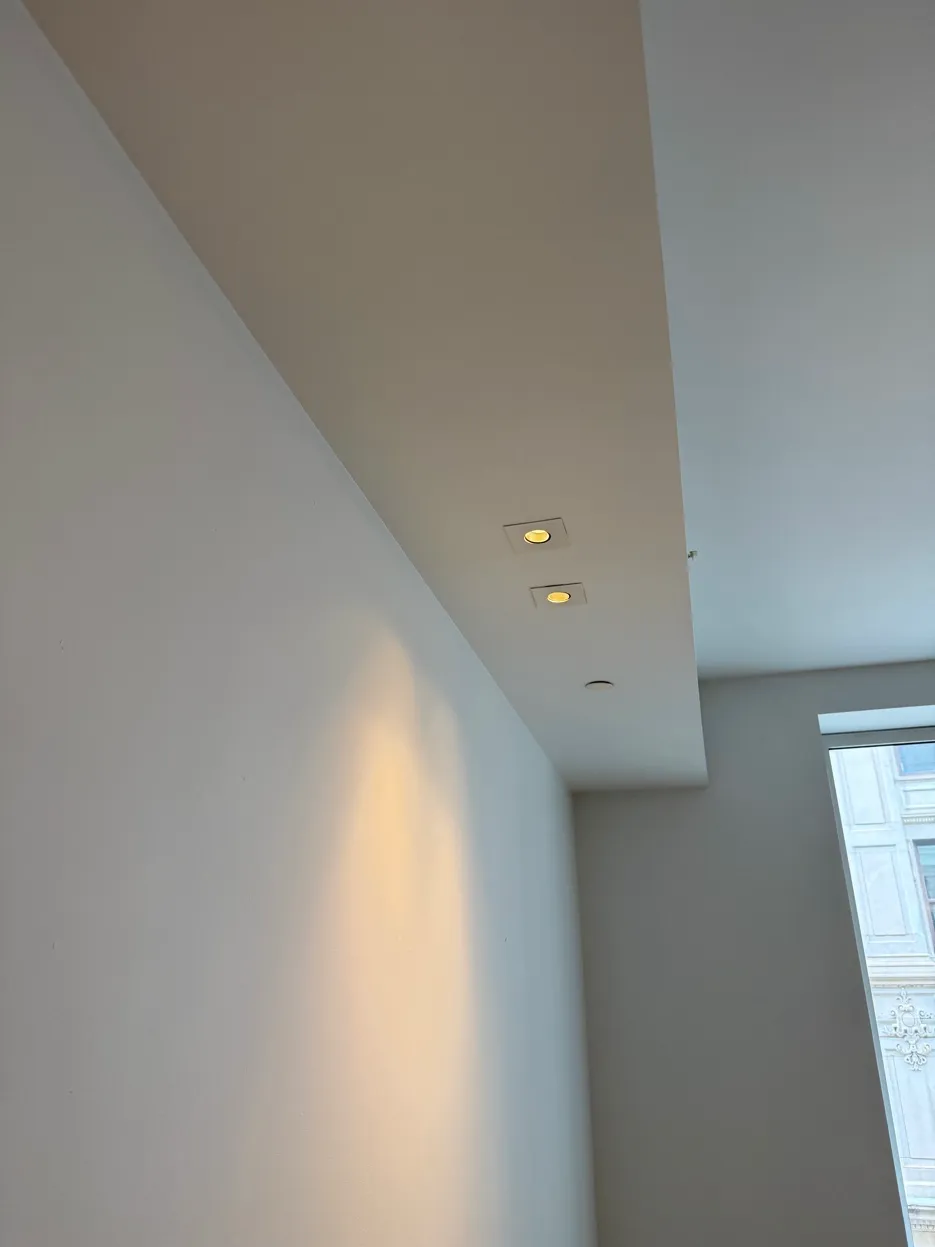
For the rest of the apartment, all cable runs have to go through the walls themselves, which means more precise planning about where drops land and what path the cables take. It also rules out recessed lighting in most rooms — tracked lighting or an island with integrated lighting are the workarounds there.
The sprinkler system adds another layer of care — any work near the ceiling has to account for those lines.
Is There Such a Thing as “NYC-Approved” Cabling?
I went back and forth on this with the AV installer, because “approved” turns out to be doing a lot of work in that question — and the honest answer is there’s no single cable type that’s blanket-approved for NYC apartments. What’s required depends entirely on what the cable is for and where it physically runs.
Do you need a licensed electrician for data cabling? Generally, no. Low-voltage data and network cabling is treated differently from electrical wiring — installing or repairing it typically doesn’t require a licensed electrician, as long as the work doesn’t involve connecting directly to electrical power sources. That’s consistent with my own experience: an AV installer handled the walkthrough and will run the cable, not a licensed electrician. If a job ever crosses into actual electrical work — wiring a new outlet for a PoE injector, say — that’s a different category and likely needs a licensed electrician involved.
What about plenum-rated cable? This is where the concrete ceiling actually worked in my favor. Plenum-rated cable gets required when a cable run passes through a cavity the building’s HVAC system uses for return air — the space above a drop ceiling in a lot of commercial buildings, for example. No air-handling cavity, no plenum requirement. My building’s concrete ceilings ruled out ceiling runs entirely, so this never came up. If your building does have a drop ceiling that doubles as an HVAC return path, ask your installer directly whether plenum-rated cable is required for that run — it’s worth getting that answer in writing too.
Riser-rated cable is a different question, and more relevant to my situation: it’s about vertical runs, particularly ones that pass between floors, and it’s there to slow fire spread through a building’s shafts. My runs are all in-wall on a single floor, so riser rating wasn’t part of the conversation — but if you’re running cable vertically through a multi-floor unit or a shared shaft, ask about it.
One thing worth keeping separate in your head: fire alarm cabling has its own, much stricter approval process — NYC-certified cable types and FDNY-issued Certificates of Approval. That’s a different system built for life-safety circuits, not for the ethernet running to your office. Don’t let “NYC-approved” language you see in fire-alarm contractor marketing make you think your data cabling needs the same certification — it doesn’t.
The practical version of all this: there’s no single “buy this, you’re compliant” cable. What’s required depends on the cavity type, the building, and what the cable is actually carrying. The honest move — the one that actually answered this for me — was asking my installer directly which cable rating they were specifying and why, and getting that answer in writing alongside everything else. If you’re in a building with drop ceilings, shared risers, or anything other than a straightforward in-wall residential run, that’s a conversation worth having before the first wire goes in, not after.
What We Decided on for Ethernet Drops
The Office: 4x Cat6A Shielded, Two Wall Plates
The office is the highest priority room and gets the most attention. Four Cat6A shielded drops run directly from the closet, split across two wall plates — two drops to a plate at desk 1, and two more at desk 2. The shielded Cat6A is specified here — not Cat6 — because this is where the NAS will live and where I’ll be doing 4K video editing and large file transfers. I want the full 10GbE capability on every port at both desks.
Splitting the four drops across two wall plates rather than running them all to one spot keeps each desk self-contained — no patch cables crossing the room to reach the other desk.
The AV installer will also run two regular Cat6 drops to the TV wall in the office — a shorter wall perpendicular to the desk. The TV doesn’t need Cat6A. Streaming 4K video to a television is nowhere near the bandwidth demands of transferring large files between a workstation and a NAS. Cat6 handles it easily, and it keeps costs reasonable.
Living Room and Bedrooms: Existing Cat6 Stays
The existing Cat6 drops in the living room and bedrooms are staying in place. For streaming, casual browsing, and general use they’re perfectly adequate. The TV drops will be repositioned higher on the wall where the TVs will actually hang — so cables route directly behind the screen without any visible runs down the wall. A clean detail that matters in a space where visible wiring isn’t an option.
2nd Bedroom: New PoE Drop for a Baby Camera
One addition we hadn’t originally planned: a new Power over Ethernet drop in the second bedroom for a baby camera. PoE eliminates the need for a separate power adapter at the camera — the ethernet cable carries both data and power. A single new run from the closet handles it cleanly, no outlet required near the camera location.
Closet Termination: Directly to the Switch
I asked whether the Cat6A runs from the office should terminate in a patch panel in the closet or go directly into the network switch. The AV installer’s recommendation was to run them directly to the switch — with only four cables, a patch panel adds cost and complexity without much practical benefit. He committed to keeping the closet neat regardless.
I asked specifically about labeling the wall plate ports in the office — confirmed, each drop will be labeled so I know exactly which port connects to which run. A small detail that saves real frustration later.
The Honest Unknown: What’s Inside the Walls
I asked directly whether the path from the closet to the office presented any challenges — pipes, unexpected obstacles, anything that might complicate the run.
The honest answer: you don’t really know until you open the wall.
The AV installer has done this enough times to be confident there won’t be major issues, and any pipes encountered would be routed around rather than presenting a hard stop. But the uncertainty is real, and worth acknowledging. This is a NYC building — what’s inside the walls is somewhat unpredictable.
What I’d Tell Anyone Planning a Similar Install
Have this conversation before you have any other conversation. The AV installer surfaced constraints — the concrete ceiling, the sprinkler clearances, the wall path uncertainty — that would have been impossible to plan around without a physical walkthrough. Reading forums is useful. Walking the actual space with someone who does this for a living is irreplaceable.
Your highest-bandwidth room drives the cable spec. The TV drops don’t need Cat6A. The office does. Tiering your cable spec to actual use cases keeps costs reasonable without compromising where it matters.
Think beyond networking. The PoE baby camera drop wasn’t in my original plan — it came out of the walkthrough conversation. A good AV installer will think about your whole setup, not just the ethernet runs you asked for.
Get everything confirmed in writing. Wall plate location, drop count, cable category, labeling, termination method. I followed up the walkthrough with a written email to confirm every detail. The AV installer’s responses became the source of truth for the install spec. Verbal agreements are great. Written confirmation is better.
Updated: June 18th, 2026 - I’ll update this article with any new information or details that come out. Follow along with the full project: How I’m Planning a 10GbE Home Network From Scratch